digitalizing the mechanic

Run the repair shop from one record.

Motrix is service-order software for motor and rotating-equipment repair shops. Receiving, quotes, technician forms, outsourced machining, final QA and shipping all live on one work order, so every person on the floor knows what comes next.
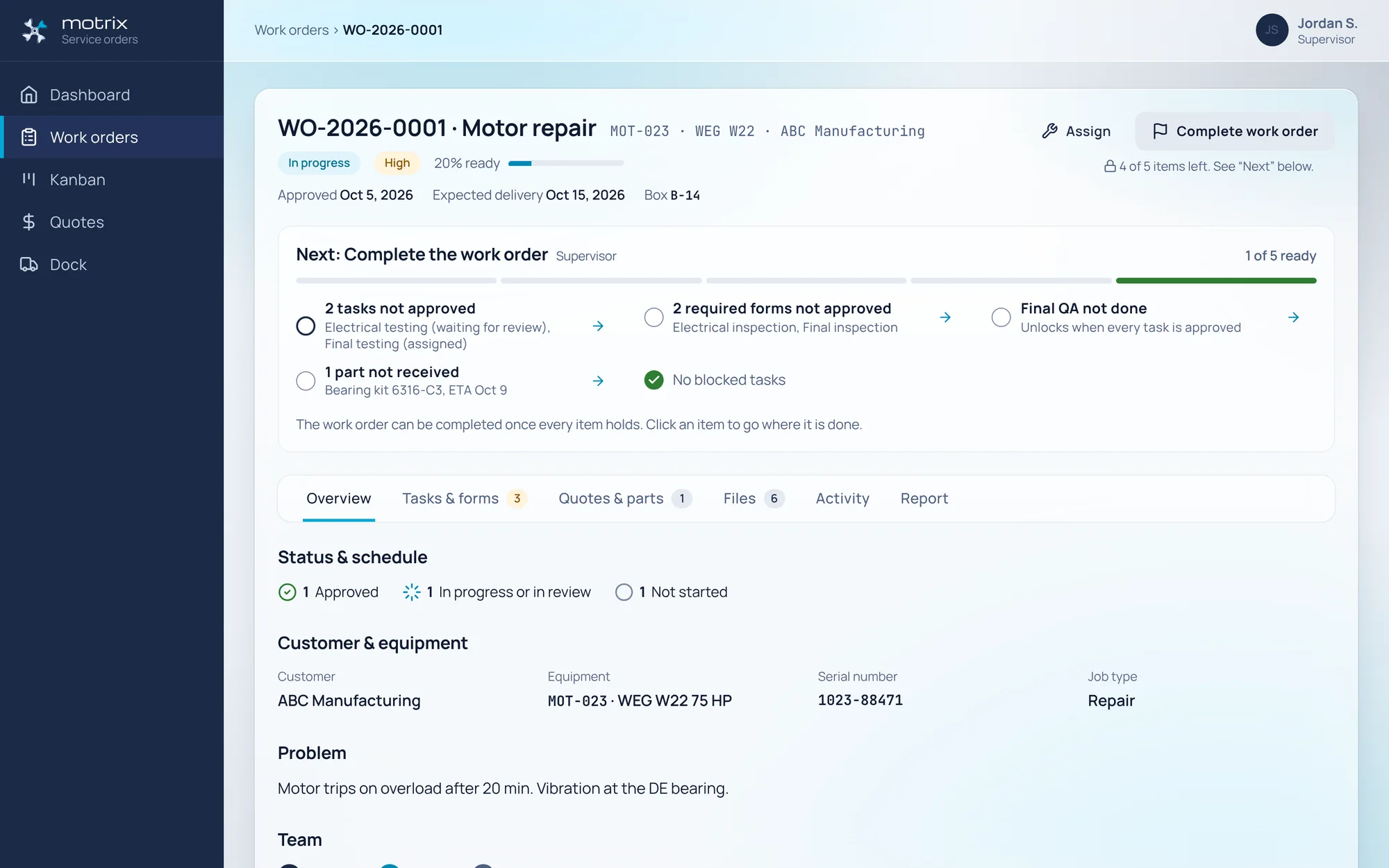
WO-2026-0001 · MOT-023 · WEG W22 75 HP · in progress · 1 of 5 ready

Motrix work order WO-2026-0001 for a WEG W22 motor, showing status, progress and the Next panel that lists what blocks completion
  • 1work order from receiving dock to shipping dock
  • 7work order states, with your own sub-statuses
  • 8roles, each seeing only the work that is theirs
  • 48 pxtouch targets on every field screen
Dock to dock

Every motor follows the same path. Motrix keeps the path honest.

A work order moves through fixed states, and each step has an owner. Nobody has to chase a whiteboard or a paper traveller to find out where a rotor is.

  1. ReceiveThe receiver logs the unit with at least one incoming photo and a driver signature.Shipper / Receiver
  2. QuoteLabour, materials and margin per line, with GST and PST, valid for 30 days.Supervisor · Manager
  3. ApproveThe customer approves from a link, or the Manager records an emailed decision.Customer
  4. Plan & repairTasks, forms and technicians are planned. The committed date comes from the task estimates.Supervisor · Technician
  5. OutsourceMachining or balancing goes to a partner who works in their own portal.Service partner
  6. Final QAMandatory on every work order. Measurements are checked against the spec.Lead hand
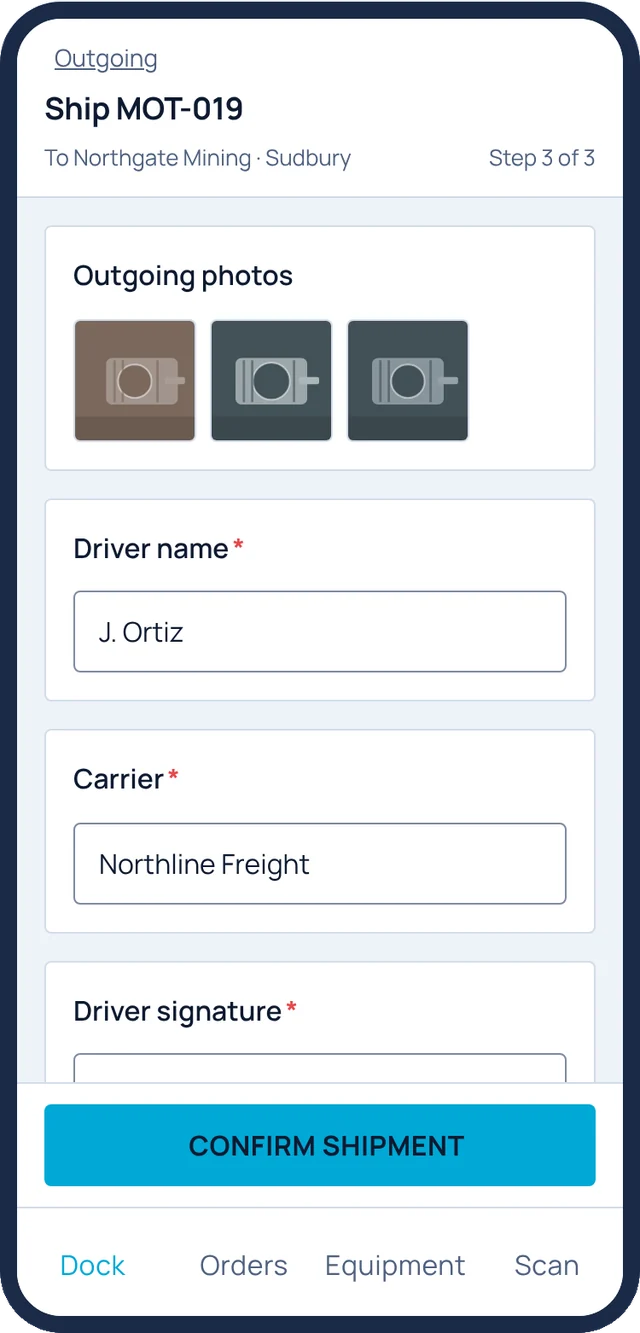
  7. ShipCompleted before it ships. Outgoing photos, carrier and signature close the loop.Shipper / Receiver

At risk = remaining estimated work > working days left, or ≤ 2 days left with < 80% progress. Shop hours Mon–Fri 07:00–17:00, editable in Shop settings.

Measured, not guessed

The numbers a repair shop runs on, tracked from day one.

Motrix computes its KPIs from the work itself: committed dates, task clocks, review decisions and quote replies. Nobody fills in a spreadsheet at the end of the month.

On-time delivery · Manager
82%on time vs. committed date

14 early or on time · 3 late · late jobs finished 2.3 working days late on average

The committed date is set from planned task estimates, and a job turns at risk while there is still time to act.

Task duration · Supervisor
76%of tasks within estimate

Shop hours only, blocked time excluded, 10% tolerance

Services whose median actual beats the estimate get flagged, so quotes and plans get more accurate every month.

Flow right now · Supervisor
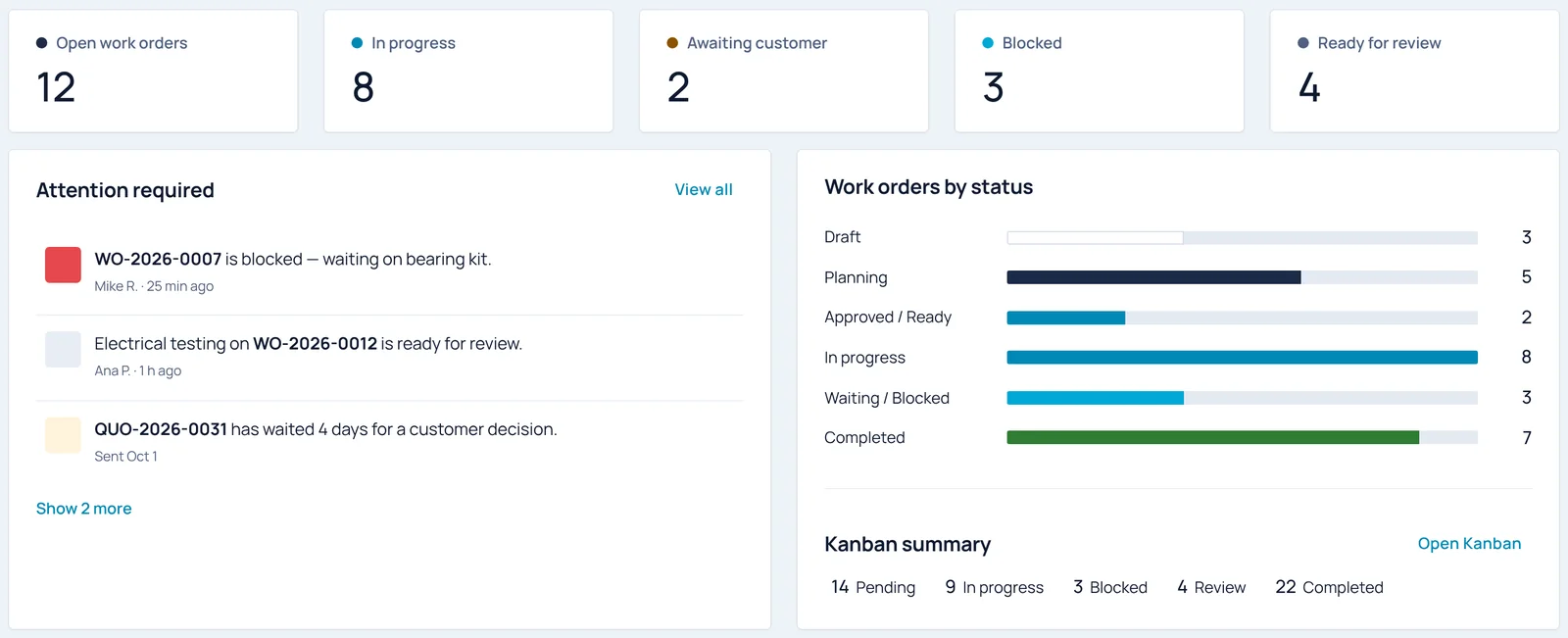
  • Blocked tasks3Each one shows its reason, like waiting for a bearing kit.
  • Ready for review4Submitted work waiting for a supervisor's approval or a rework request.
  • Awaiting customer2Quotes still out. Any that wait 4 days or more land in Attention required.
Schedule honesty · Manager
  • Hit the final adjusted date88%4 dates were moved, each with a reason, such as waiting for parts or a customer change.
  • Over estimate right now2Machine rotor on WO-2026-0001 and Clean & dip stator on WO-2026-0004, flagged while there is still time.

Figures from the Motrix demo shop, this month: 17 completed work orders and 4 technicians. Your shop's numbers appear on the Performance page as soon as work orders close.

Hours-back calculator

How much office time would a single record give back?

Count the time spent on status calls, paper travellers, retyping test sheets and chasing quote approvals.

Across everyone who touches the job, from receiving to shipping.
Your assumption. Start low and adjust after a pilot.
0 hback every month
$0CAD per year
0working days a month at 10 shop hours a day

This is arithmetic on your own inputs, not a measured result.

The product

Built around the question every supervisor asks: what is next?

A work order that tells you what is left

The Next panel lists every condition the work order still needs before it can be completed, and each item links to where that work gets done.

  • Tasks not approved, required forms not approved, outsourced work still open, blocked tasks and Final QA, each checked live
  • Customer, equipment, serial number, job type and problem on one overview
  • Every status change, upload and approval lands in the activity log

WO-2026-0001 · Approved Oct 5 · Expected delivery Oct 15 · Box B-14
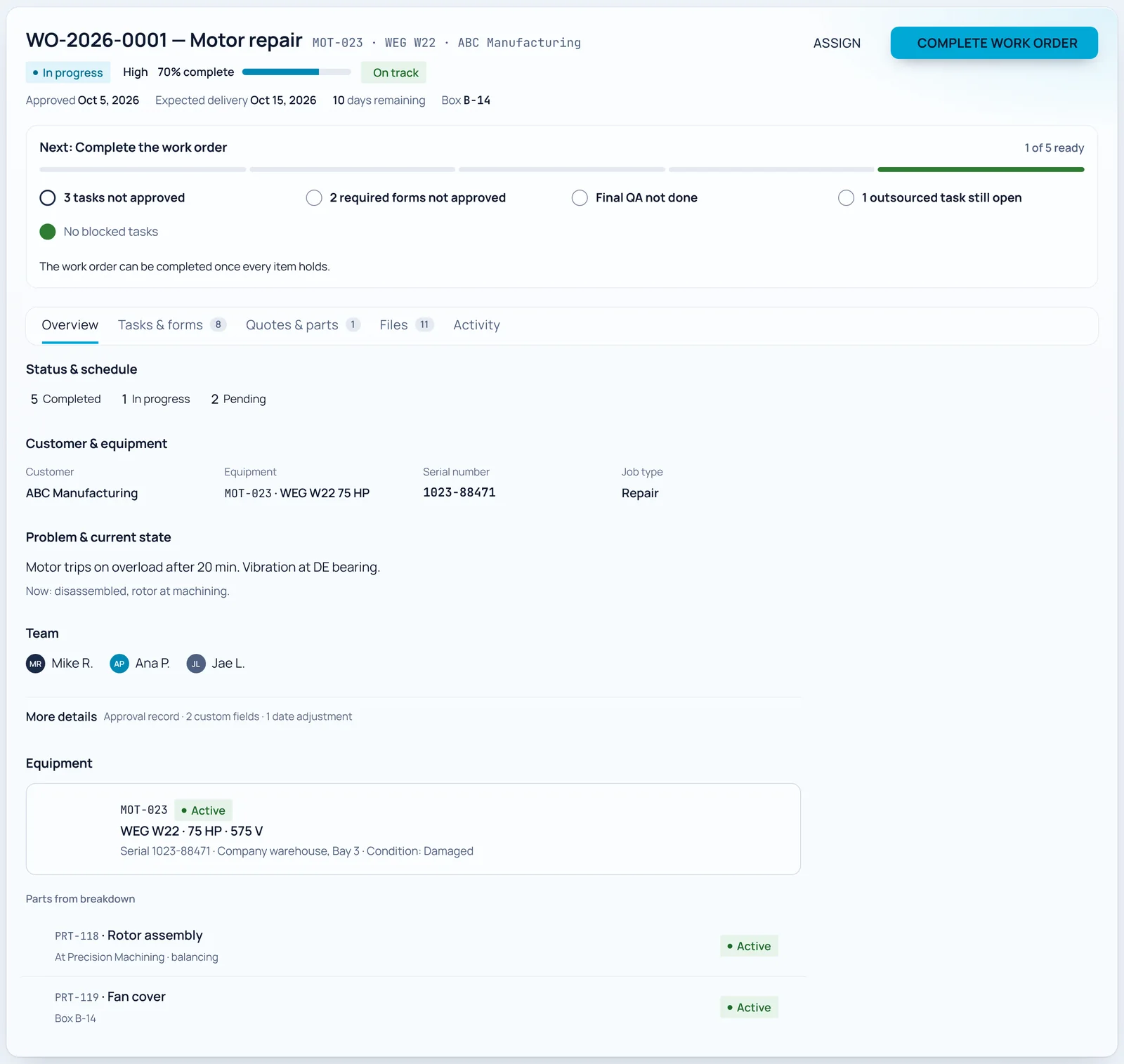
Work order detail with the Next panel, status and schedule, customer and equipment, problem, team and parts from breakdown

The whole floor on one board

See every task by work order and state, or switch to the technician board. Drag a card to move it, and Motrix only lets it land where the move is valid.
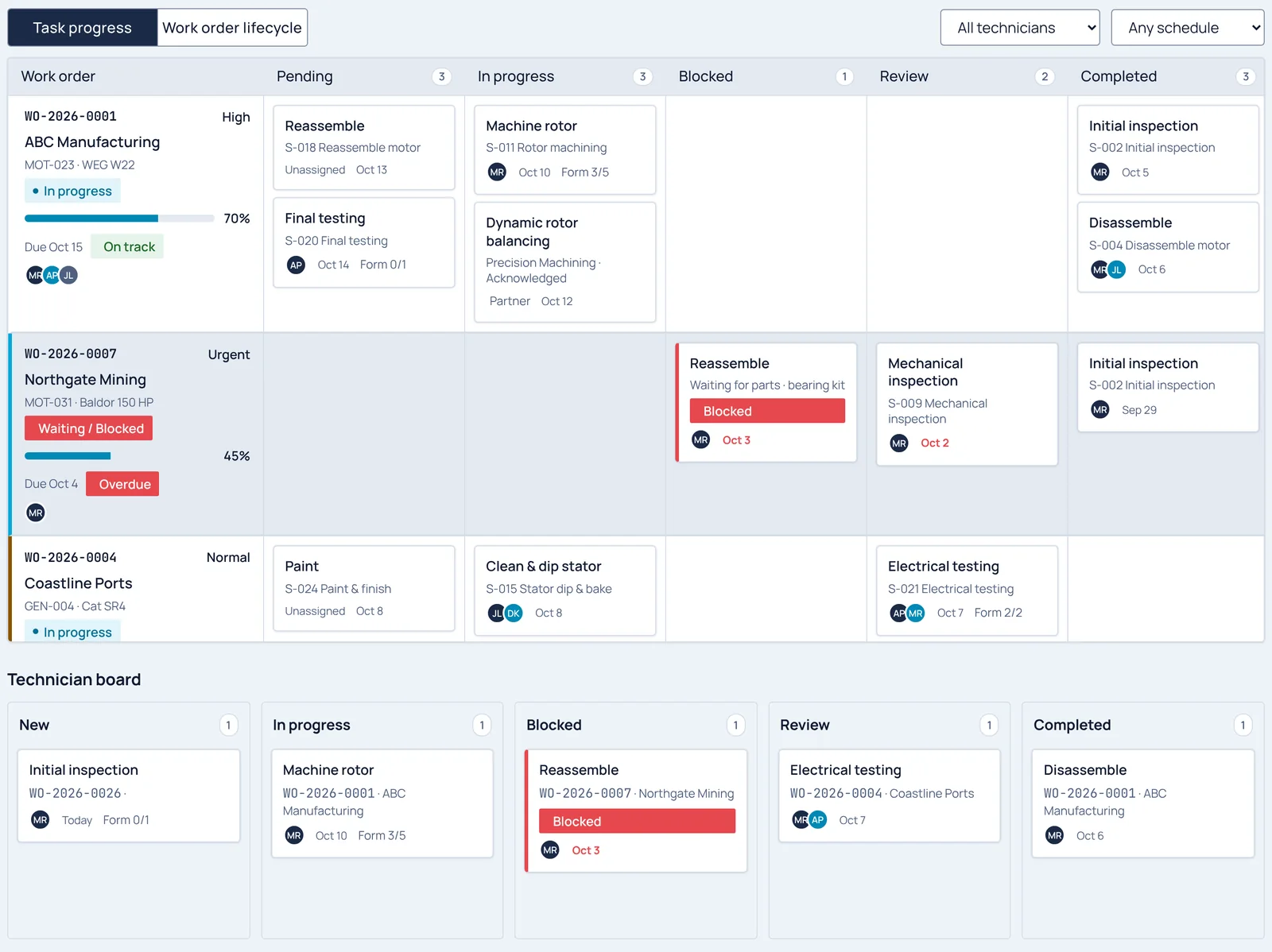
  • Pending, in progress, blocked, review and completed lanes per work order
  • Technicians can block a task only while it is in progress, with the reason shown on the card
  • Overdue and at-risk work orders surface at the top
Kanban board with task progress lanes for three work orders and a technician board below

Outsourced work, checked against the spec

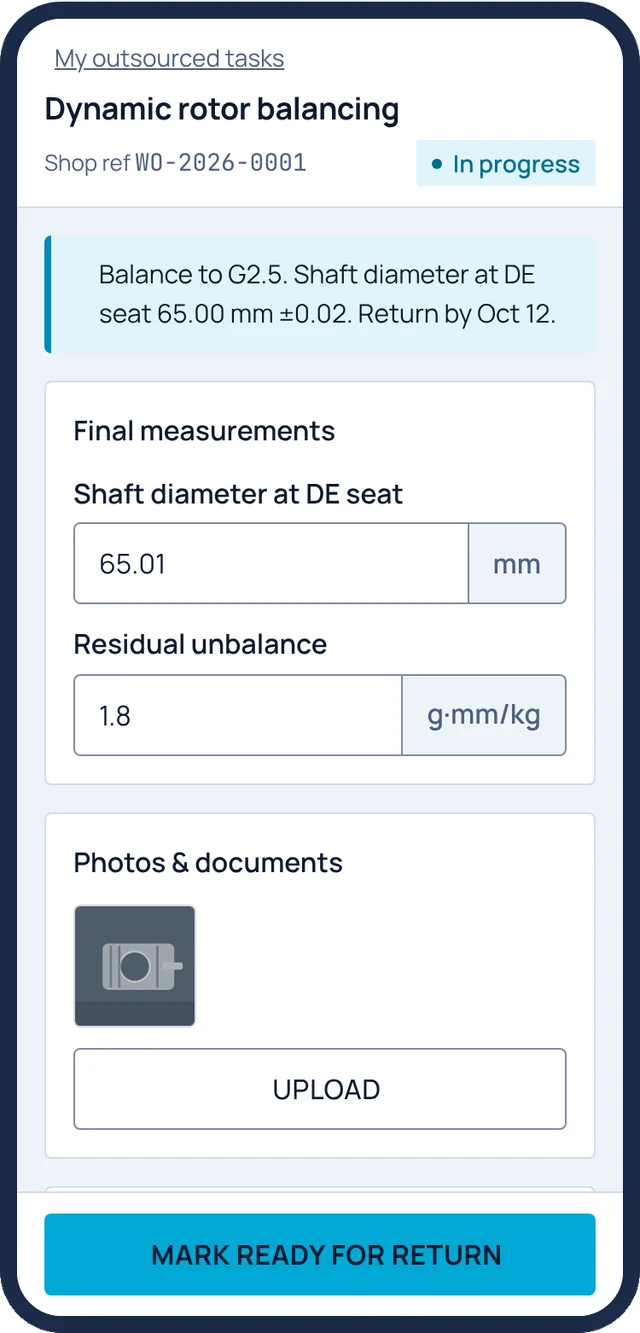
Send a rotor out for balancing and follow it through the partner's steps. When it comes back, the lead hand records what was actually measured.

  • Expected, delivered and actual values side by side, with out-of-tolerance readings flagged
  • A rejected job goes back to the partner as a new cycle
  • Supervisors can override a failed spec with a logged reason

Shaft Ø at DE seat · expected 65.00 mm ±0.02 · actual 65.05 mm · out of tolerance +0.03 mm
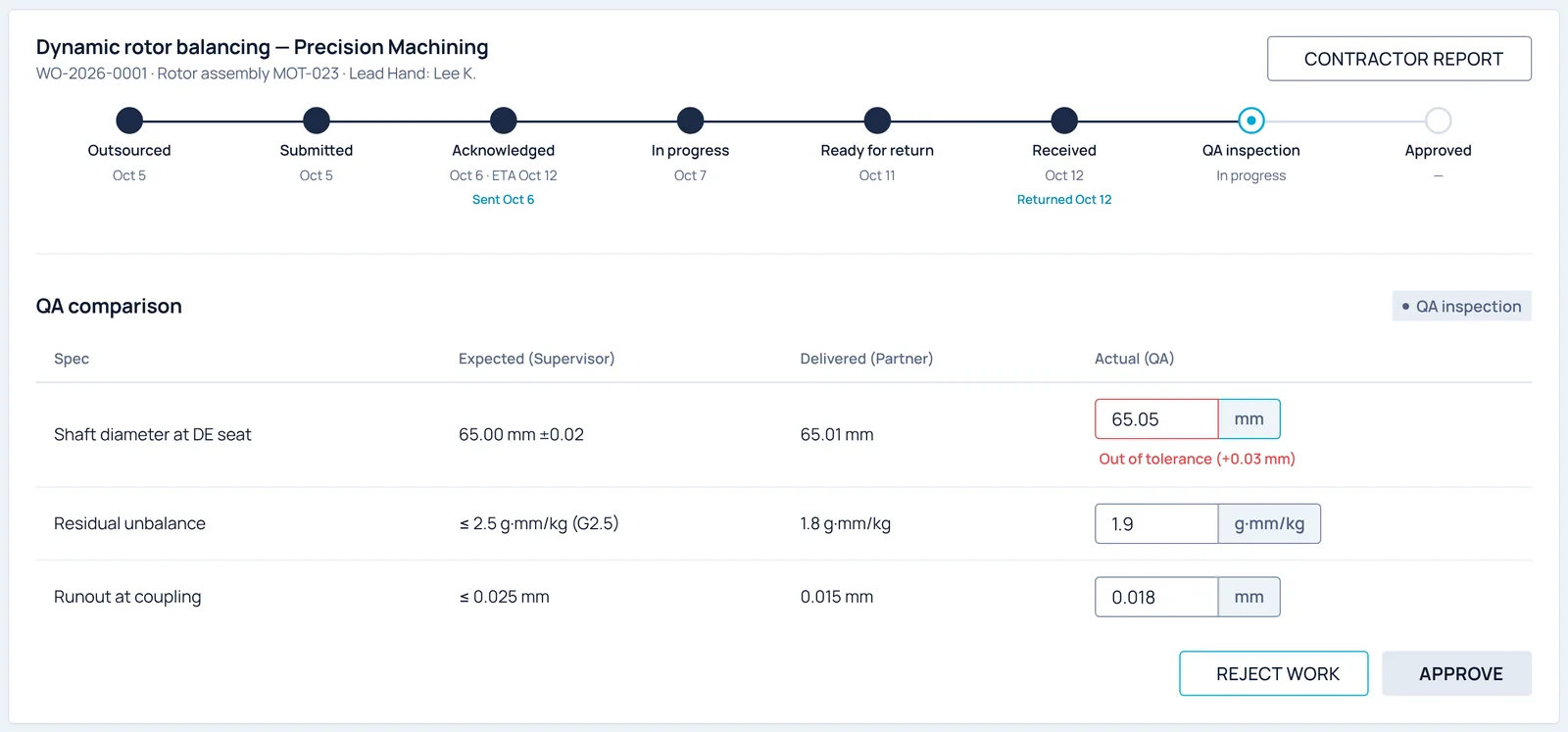
Outsourced task timeline for dynamic rotor balancing and a QA comparison table with one out-of-tolerance value
All under one roof

Repair, quoting and the dock, in one system.

Each module reads and writes the same work order, so a received part, an approved quote or a failed reading shows up everywhere it matters.
On the floor

Made for gloves, grease and a phone in a back pocket.

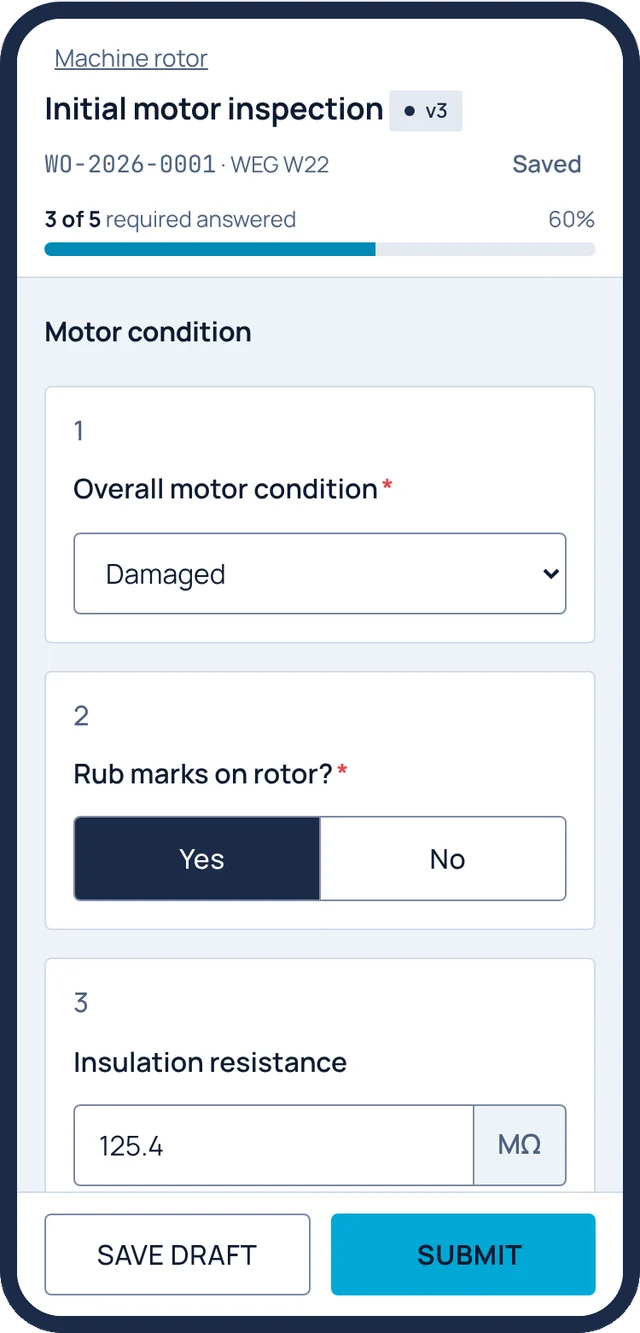
Technicians, receivers and service partners work from phone screens with bottom navigation, actions pinned within thumb reach and a save indicator that shows every answer was kept.
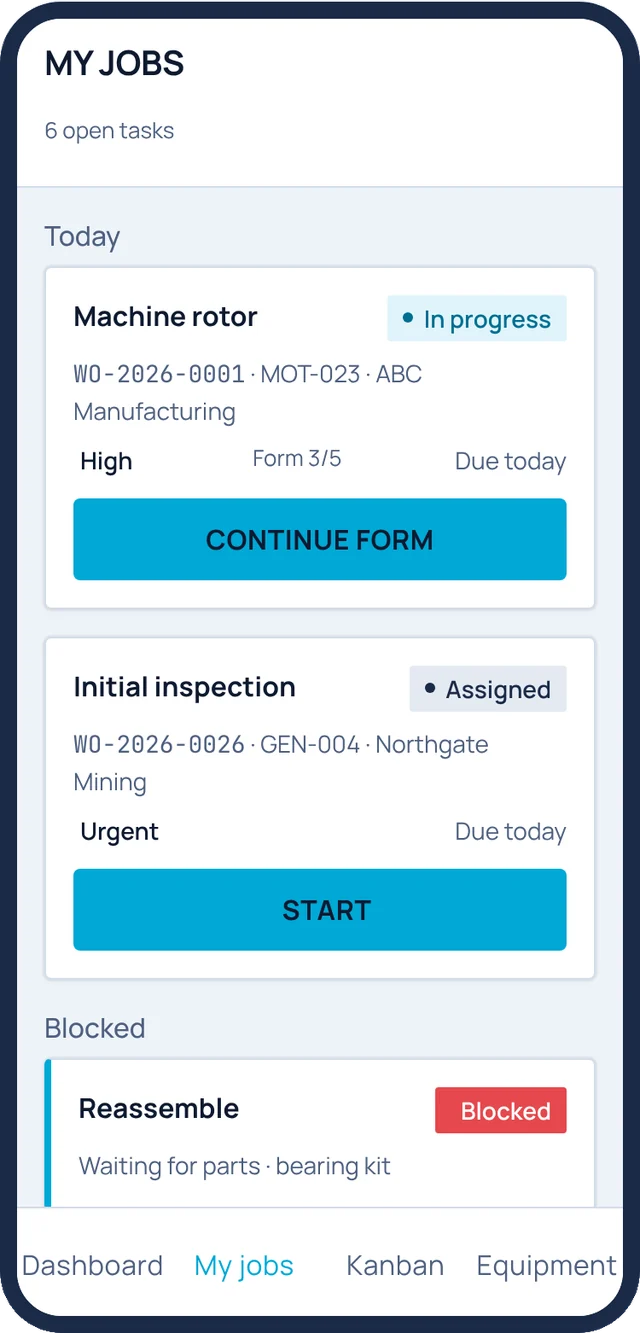
My jobs screen with today's tasks and a blocked task
My jobsTechnician
Form runner for initial motor inspection with insulation resistance in megohms
Form runnerTechnician · 3 of 5 answered
Ship screen with outgoing photos, driver name, carrier and signature
Ship MOT-019Shipper / Receiver
Service partner task for dynamic rotor balancing with final measurements
Partner portalService partner
Why Motrix

Our business is making the shop run better.

On time

Dates you can commit to

The committed date is the sum of planned task estimates, adjusted by priority. Urgent work runs at ×0.8, low at ×1.2. When a job slips, it turns at risk before it turns late.

Accountable

Every decision on record

Approvals, rework requests, overrides and reopened work orders all require a reason and are logged with who did it and when.

Profitable

Quotes that hold their margin

Hours, commission and margin per line, tax lines frozen in each sent revision, and task durations measured against the estimate with a 10% tolerance.

Roles

Everyone sees their part of the job.

FloorTechnicianStarts tasks, fills forms, uploads photos and flags blockers from a phone.
FloorLead handRuns QA inspections on returned components and Final QA on every work order.
OfficeSupervisorPlans tasks, reviews submissions, approves or requests rework, builds quotes.
OfficeManagerConfirms approvals, starts work, reopens jobs and owns users and roles.
DockShipper / ReceiverReceives units and parts, ships completed work with photos and signatures.
OfficeBusiness adminSees quotes and customers, keeps the commercial side in order.
OutsideService partnerAcknowledges outsourced jobs, records measurements and marks them ready for return.
OutsideCustomerOpens a quote link, reviews scope and attachments, approves or rejects.
digitalizing the mechanic
Request a demo

See your shop in Motrix.

We'll walk through a work order from your own floor: a motor coming in, a quote going out, a rotor coming back from balancing.